App Permissions
How to resolve permission issues with syncing metrics and activities
1. Intervals.icu OAuth Login Permissions
When you log into Intervals Companion, it connects to your Intervals.icu account using OAuth. During this process, Intervals.icu presents a permission screen where you grant the app access to your data. If Activities or Wellness Data update permissions were not checked, syncing will not work correctly.
The permissions screen should look like this, with Read and Update checked for Activities and Wellness Data:
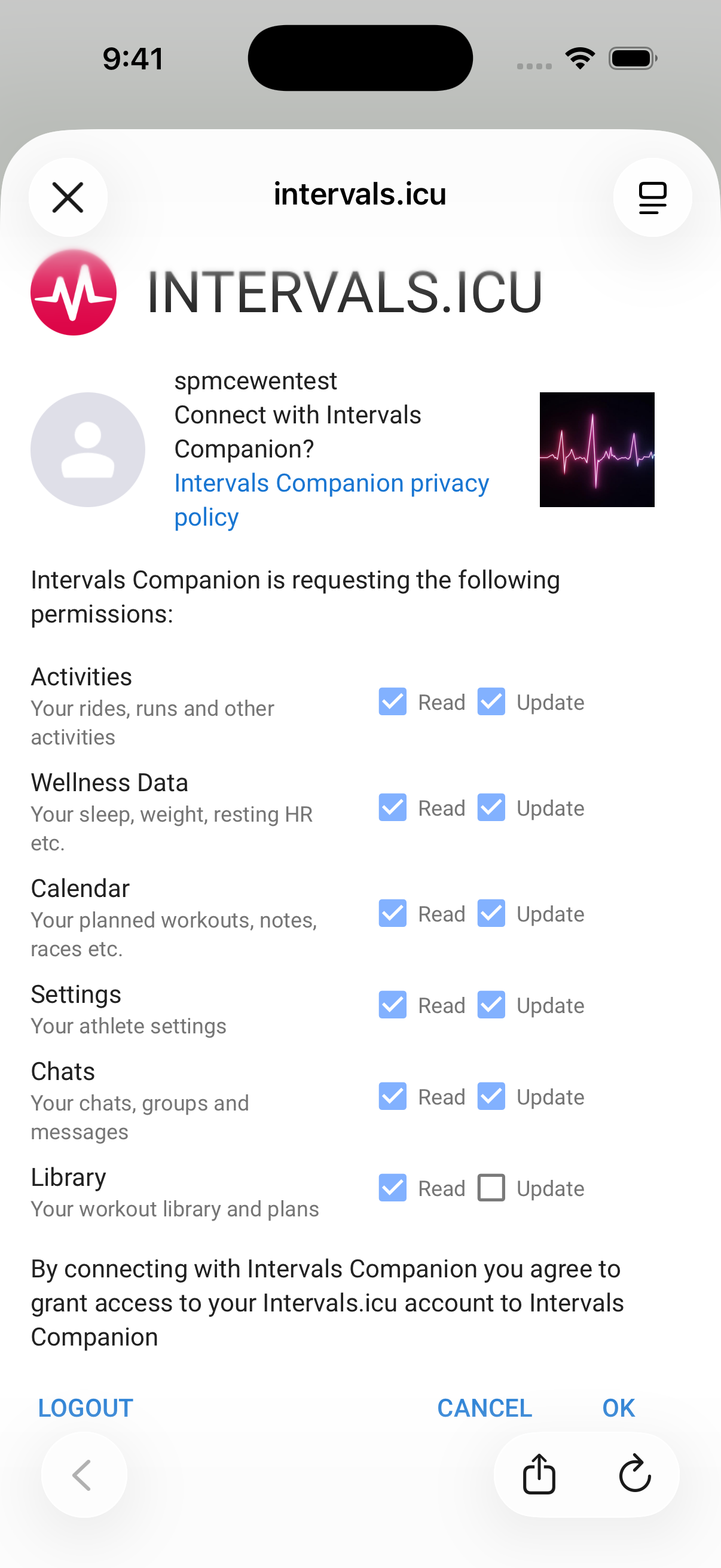
Make sure Activities and Wellness Data have both Read and Update checked
To fix missing permissions:
- Open the Intervals Companion app
- Go to Settings
- Tap Logout
- Log back in with your Intervals.icu credentials
- On the permissions screen, make sure activities and wellness Data both have read and update checked before tapping OK
2. iOS Health Permissions
Intervals Companion needs permission to read from and write to Apple Health. If these permissions were denied or only partially granted, syncing metrics and activities will be incomplete.
Health permissions are managed in iOS Settings, not inside the app. The easiest fix is to enable all permissions:
- Open the Settings app on your iPhone
- Go to Privacy & Security
- Tap Health
- Tap Intervals Companion
- Tap Turn On All at the top of the screen
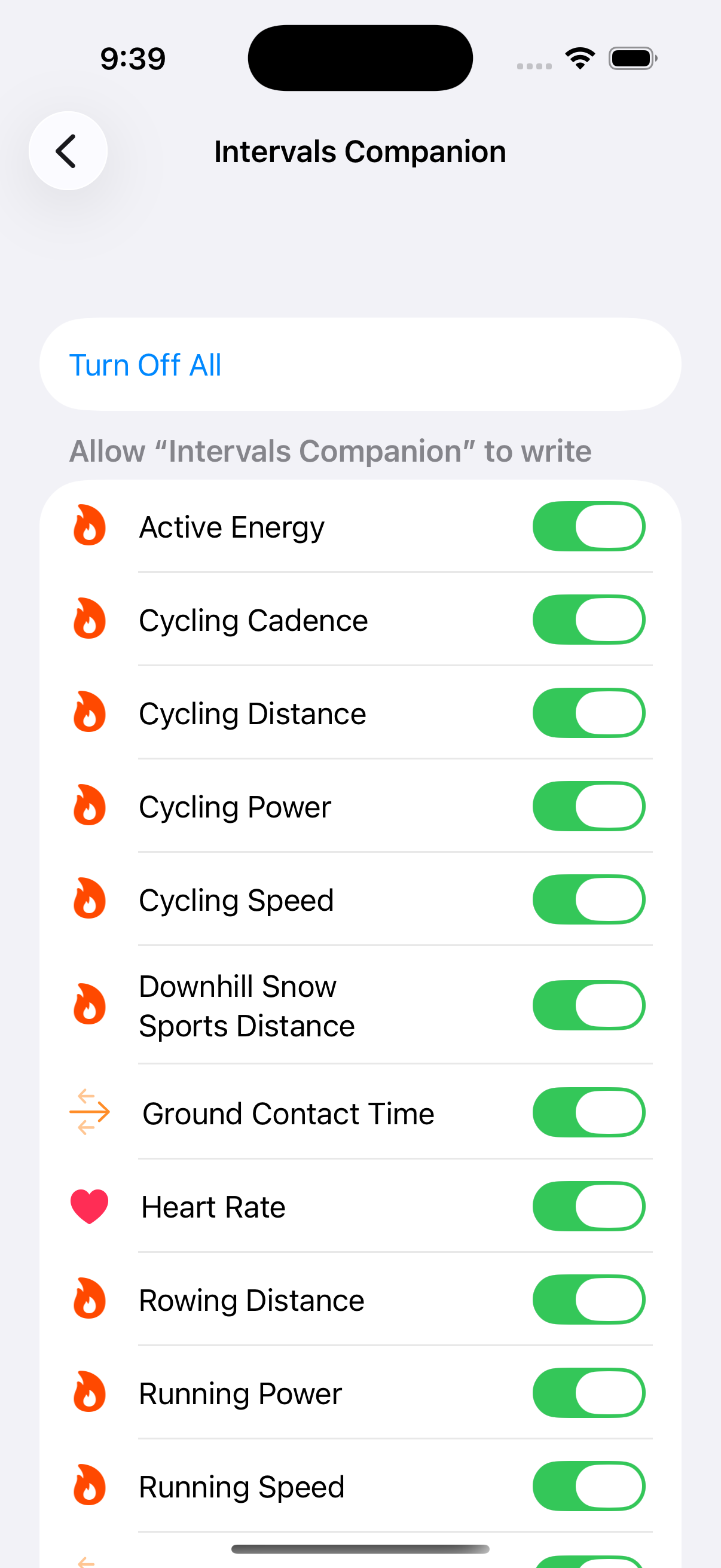
Tap "Turn On All" to grant Intervals Companion full Health access
3. Intervals.icu API Key
Some features in Intervals Companion — including viewing other users activities and leaving comments on them — require a valid API key to be present in your Intervals.icu account. If you have never generated one, this step is required to use these features.
To create or view your API key:
- Go to intervals.icu/settings in a browser
- Scroll down to the Developer Settings section
- Click (view) under API Key
- If no key exists, click Generate to create one
- Go to the app settings, tap the Logout button and log back in again
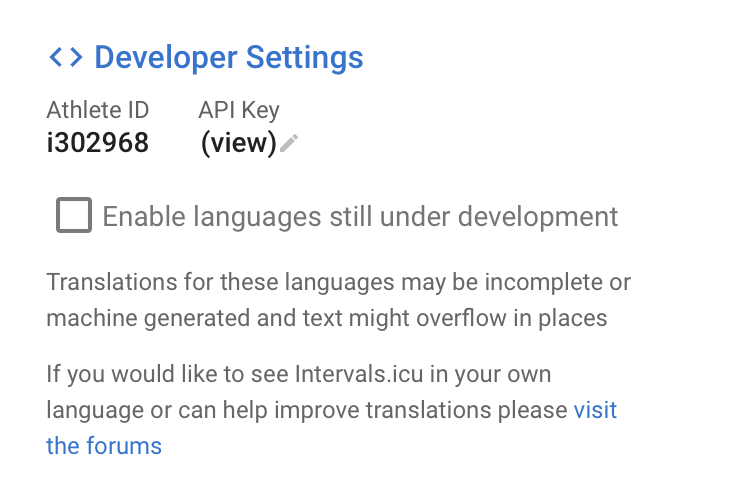
Developer Settings section — click (view) under to API Key
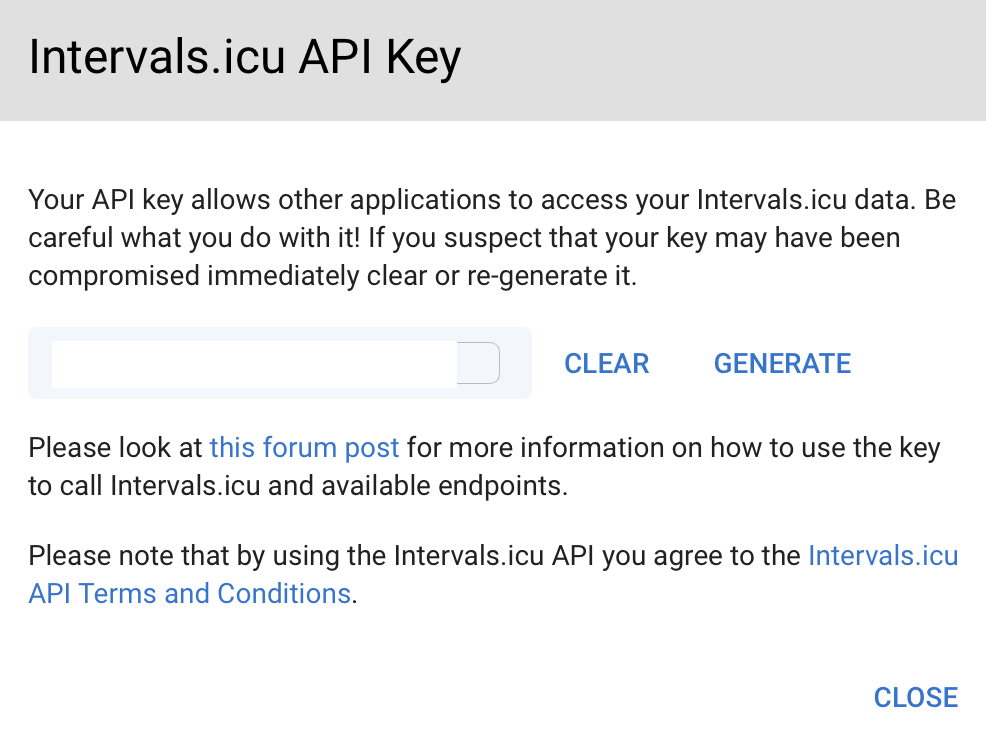
Click GENERATE if no key exists yet